

This comprehensive guide covers everything you need to know about waterproof coaxial cables—from understanding water...
Complete Guide to Coaxial Cables
The Complete Guide to Coaxial Cables
Published by Wassalat Technical Team
Whether you're setting up a professional broadcasting system, installing CCTV cameras, deploying wireless networks, or building high-speed internet infrastructure, coaxial cables remain the backbone of reliable signal transmission. This comprehensive guide covers everything you need to know about coaxial cables—from basic principles to advanced selection and installation techniques used by industry professionals.
? Table of Contents
- What Is a Coaxial Cable?
- How Coaxial Cables Work
- Coaxial Cable Structure & Components
- Types of Coaxial Cables
- Understanding Impedance: 50Ω vs 75Ω
- Key Specifications & Performance Metrics
- Coaxial Connectors Guide
- How to Choose the Right Coaxial Cable
- Installation Best Practices
- Applications & Use Cases
- Common Problems & Troubleshooting
- Frequently Asked Questions
What Is a Coaxial Cable?
A coaxial cable (commonly called "coax") is a type of electrical cable that transmits high-frequency signals with minimal signal loss and interference. It consists of a central conductor surrounded by an insulating layer, a metallic shield, and an outer protective jacket—all sharing the same axis (hence "co-axial").
Coaxial cables are the preferred choice for transmitting:
- Radio frequency (RF) signals
- Video and audio signals
- Internet data (cable broadband)
- CCTV and surveillance video
- Satellite and television broadcasts
- Wireless antenna connections
? Did You Know? The first coaxial cable was patented in 1880 by Oliver Heaviside, but it wasn't until the 1930s that it became commercially viable for television and telephone transmission.
How Coaxial Cables Work
Coaxial cables transmit signals through electromagnetic wave propagation. Here's how it works:
- Signal Input – The electrical signal enters the cable through the center conductor.
- Wave Propagation – The signal travels as electromagnetic waves along the conductor.
- Shielding Protection – The metallic shield blocks external electromagnetic interference (EMI).
- Signal Output – The signal exits the cable with minimal loss at the receiving device.
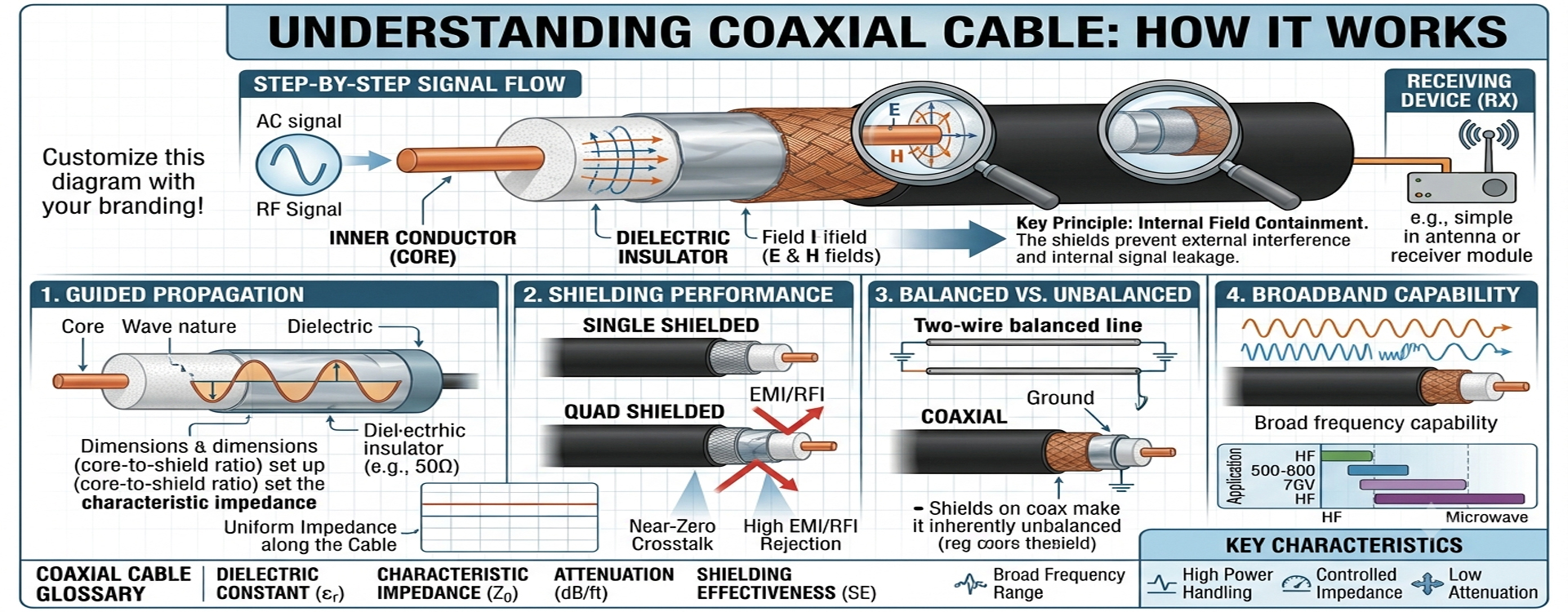
The key to coax performance is its balanced impedance and shielding effectiveness, which prevent signal degradation even over long distances.
Coaxial Cable Structure & Components
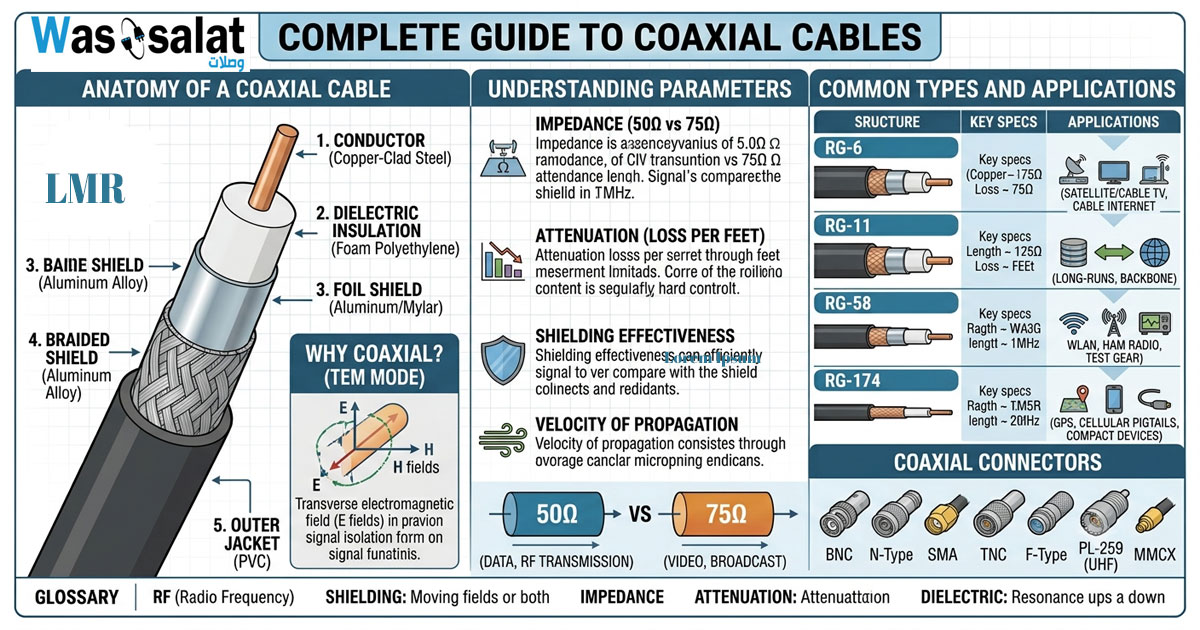
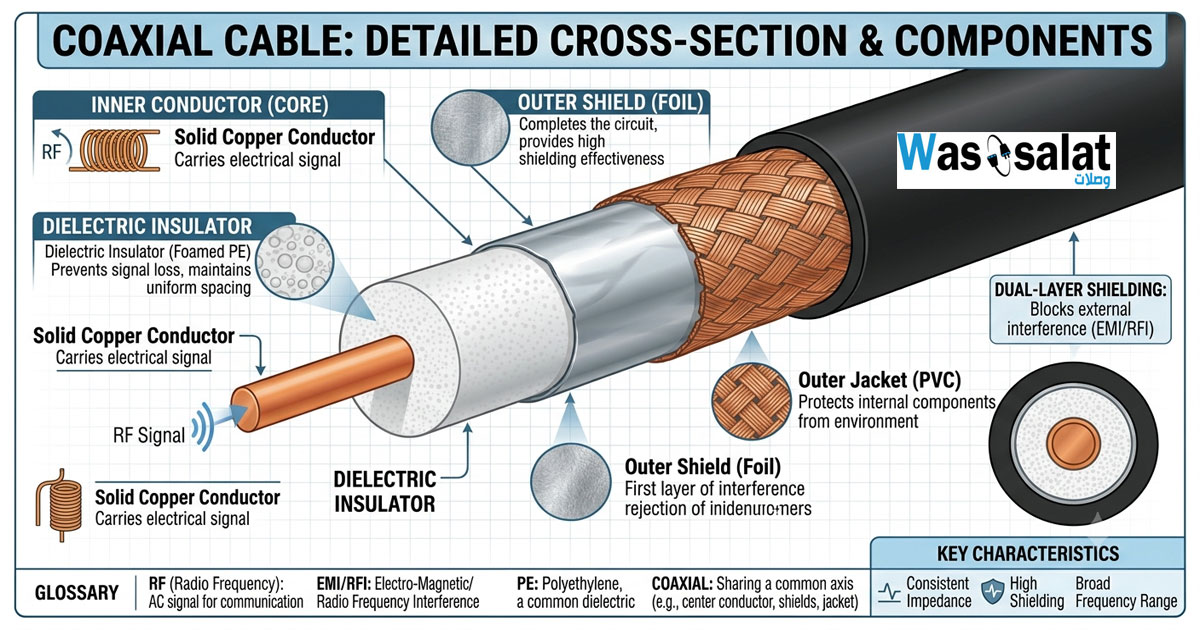
Every coaxial cable consists of four main layers, each serving a critical purpose:
| Layer | Material | Function |
|---|---|---|
| Center Conductor | Copper, Copper-Clad Steel (CCS), or Aluminum | Carries the electrical signal |
| Dielectric Insulation | Polyethylene (PE), Foam PE, or PTFE (Teflon) | Maintains conductor position and electrical properties |
| Metallic Shield | Copper Braid, Aluminum Foil, or Solid Copper | Blocks electromagnetic interference (EMI/RFI) |
| Outer Jacket | PVC, PE, or Plenum-rated Fire Retardant | Protects against physical damage and environmental factors |
Types of Coaxial Cables
There are many coaxial cable types, each designed for specific applications. Here are the most common:
1. RG-6
Impedance: 75Ω | Common Uses: Satellite TV, Cable TV, Broadband Internet, CCTV
RG-6 is the most common coaxial cable for residential and commercial video applications. It has a thicker center conductor than RG-59, providing better signal quality over longer distances.
2. RG-59
Impedance: 75Ω | Common Uses: Short-distance CCTV, Analog Video, Patch Cables
RG-59 is thinner and more flexible than RG-6. It's ideal for short video runs (under 100 feet) where flexibility is important.
3. RG-58
Impedance: 50Ω | Common Uses: Radio Communications, Antenna Connections, Laboratory Equipment
RG-58 is commonly used in RF applications and radio communications where 50Ω impedance is required.
4. RG-11
Impedance: 75Ω | Common Uses: Long-distance Video Transmission, Main Trunk Lines
RG-11 has a thicker conductor and lower signal loss than RG-6, making it ideal for long cable runs (over 200 feet).
5. LMR-400
Impedance: 50Ω | Common Uses: Wireless Antenna Feeds, Microwave Transmission, WISP Networks
LMR-400 is a low-loss 50Ω cable popular in wireless communications for its excellent performance at high frequencies.
6. LMR-195
Impedance: 50Ω | Common Uses: Short Antenna Feeds, WiFi, IoT Devices
A thinner, more flexible version of LMR cables for shorter runs.
7. LMR-240
Impedance: 50Ω | Common Uses: Outdoor Antenna Feeds, Base Station Connections
8. LMR-600
Impedance: 50Ω | Common Uses: High-Power Transmissions, Cellular Base Stations
| Cable Type | Impedance | Max Frequency | Typical Applications |
|---|---|---|---|
| RG-59 | 75Ω | 1 GHz | Short CCTV, Video |
| RG-6 | 75Ω | 3 GHz | CATV, Satellite, Internet |
| RG-11 | 75Ω | 3 GHz | Long-distance Video |
| RG-58 | 50Ω | 1 GHz | Radio, RF Testing |
| LMR-195 | 50Ω | 5 GHz | WiFi, IoT, Short Feeds |
| LMR-240 | 50Ω | 5.8 GHz | Outdoor Antenna Feeds |
| LMR-400 | 50Ω | 6 GHz | Wireless, WISP, Microwave |
| LMR-600 | 50Ω | 8 GHz | Base Stations, High Power |
Understanding Impedance: 50Ω vs 75Ω
Impedance is the most critical specification for coaxial cables. Using the wrong impedance significantly degrades signal quality.
50Ω Coaxial Cables
- Used for RF and radio communications
- Common in: Two-way radios, WiFi, Cellular networks, WISP
- Standard for: Antenna connections, Wireless infrastructure
- Examples: RG-58, LMR-400, LMR-600
75Ω Coaxial Cables
- Used for video and data transmission
- Common in: Television, Cable TV, CCTV, Digital Video
- Standard for: Broadcast, Video distribution, Satellite
- Examples: RG-6, RG-59, RG-11
⚠️ Critical: Never mix 50Ω and 75Ω cables without proper impedance matching adapters. Using the wrong impedance causes reflections, signal loss, and degraded performance.
Key Specifications & Performance Metrics
When selecting coaxial cables, evaluate these critical parameters:
1. Signal Loss (Attenuation)
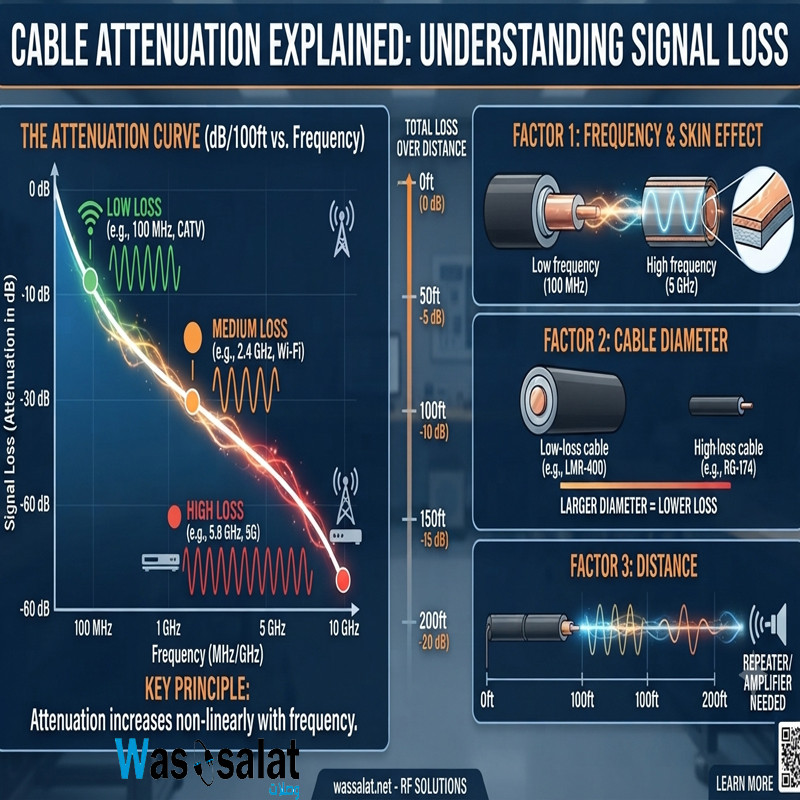
Signal loss is measured in decibels (dB) per 100 feet at a specific frequency. Lower attenuation = better performance.
| Cable | Loss at 100 MHz | Loss at 400 MHz | Loss at 1 GHz |
|---|---|---|---|
| RG-59 | 4.6 dB | 9.2 dB | 15.0 dB |
| RG-6 | 2.5 dB | 5.2 dB | 8.5 dB |
| RG-11 | 1.6 dB | 3.3 dB | 5.4 dB |
| LMR-195 | 3.5 dB | 7.0 dB | 11.5 dB |
| LMR-240 | 2.5 dB | 5.1 dB | 8.4 dB |
| LMR-400 | 1.5 dB | 3.0 dB | 5.0 dB |
| LMR-600 | 1.0 dB | 2.0 dB | 3.3 dB |
2. Shielding Effectiveness
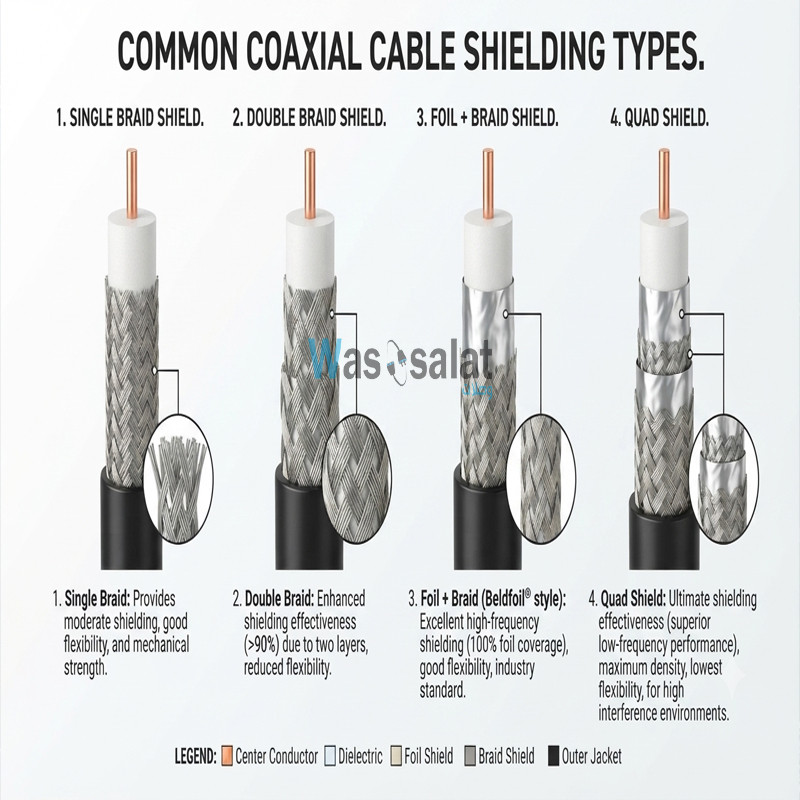
Better shielding prevents interference from external sources. Common shielding types:
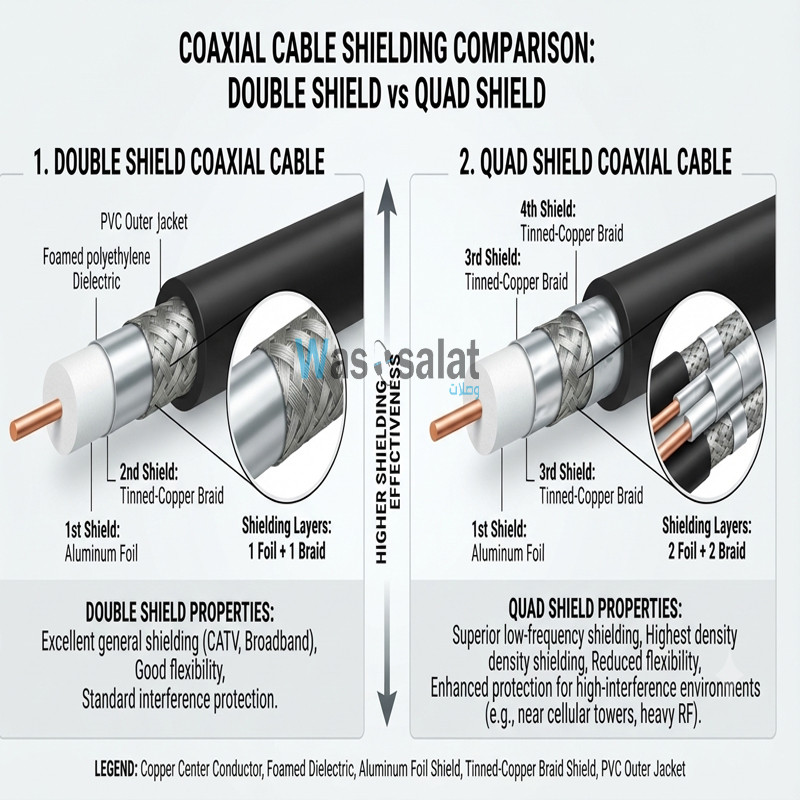
- Single Shield – Basic protection (foil or braid)
- Double Shield – Foil + Braid for better protection
- Quad Shield – Two layers of foil + two layers of braid for maximum protection
3. Operating Temperature Range
- Standard PVC – -20°C to +80°C (Indoor only)
- PE / Polyethylene – -40°C to +80°C (Outdoor, UV resistant)
- Plenum-rated – 0°C to +75°C (Fire resistant, air ducts)
4. Maximum Frequency
Each cable type has a maximum frequency limit. Exceeding this causes excessive signal loss.
Coaxial Connectors Guide
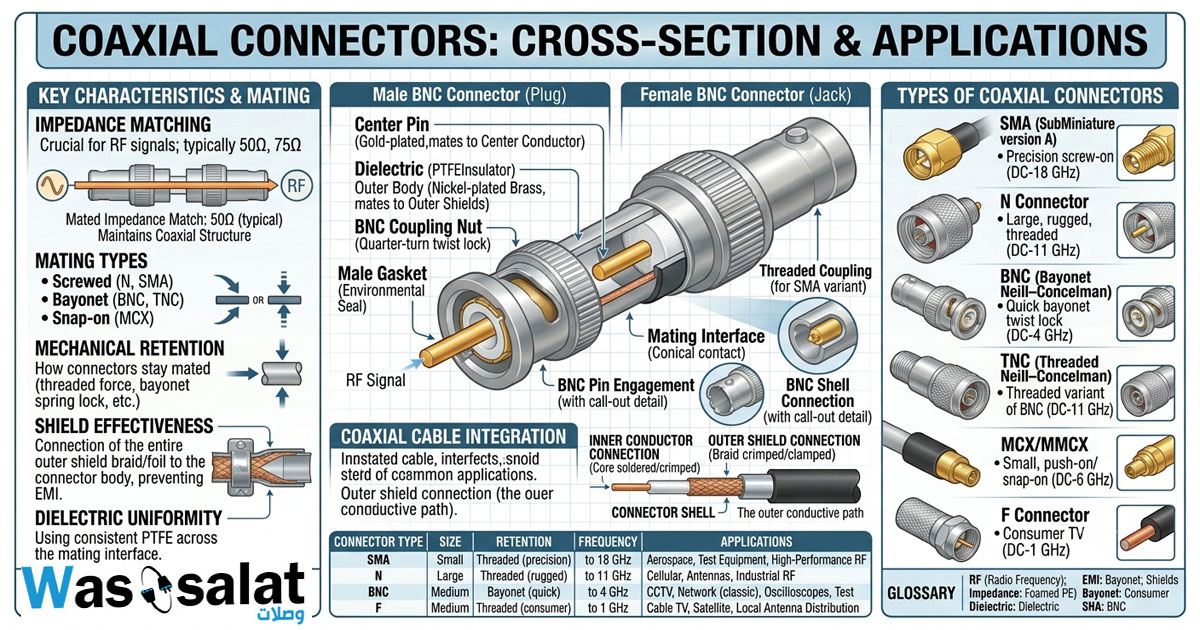
Choosing the right connector is as important as selecting the cable itself. Here are the most common coaxial connectors:
1. BNC (Bayonet Neill–Concelman)
Impedance: 50Ω or 75Ω | Uses: Video, RF Testing, Radios, CCTV
BNC connectors are quick-connect with a bayonet locking mechanism. They're common in broadcast video and RF equipment.
2. F-Type
Impedance: 75Ω | Uses: Satellite TV, Cable TV, Broadband Internet
F-Type connectors are the standard for residential and commercial video applications. They're simple to install and reliable.
3. N-Type
Impedance: 50Ω | Uses: Wireless Antennas, Microwave, Telecom
N-Type connectors are threaded for secure connections. They're the professional standard for outdoor RF installations.
4. SMA (SubMiniature version A)
Impedance: 50Ω | Uses: WiFi Routers, Cellular Devices, IoT
Small form-factor connectors for compact devices and high-frequency applications up to 18 GHz.
5. TNC (Threaded Neill–Concelman)
Impedance: 50Ω | Uses: Military, Aerospace, High-vibration Environments
Threaded version of BNC with better weather resistance and vibration tolerance.
6. UHF (Ultra High Frequency)
Impedance: 50Ω | Uses: Amateur Radio, Older RF Equipment
Older standard for RF applications, still common in ham radio.
7. SMA RP (Reverse Polarity SMA)
Impedance: 50Ω | Uses: WiFi Devices, Consumer Routers
A variation of SMA used in consumer wireless equipment to prevent mismatching.
| Connector | Impedance | Max Frequency | Typical Use |
|---|---|---|---|
| BNC | 50/75Ω | 4 GHz | Video, RF Testing |
| F-Type | 75Ω | 3 GHz | CATV, Satellite |
| N-Type | 50Ω | 11 GHz | Wireless, Telecom |
| SMA | 50Ω | 18 GHz | WiFi, IoT, Cellular |
| TNC | 50Ω | 11 GHz | Military, Aerospace |
| UHF | 50Ω | 300 MHz | Amateur Radio |
How to Choose the Right Coaxial Cable
1. Determine Your Impedance Requirement
- 50Ω for RF, radio, wireless, and antenna applications
- 75Ω for video, television, and broadband data
2. Calculate Cable Length
- Under 50 feet – RG-59 (75Ω) or RG-58 (50Ω) are usually sufficient
- 50–100 feet – RG-6 (75Ω) or LMR-240 (50Ω) for better performance
- 100–200 feet – RG-11 (75Ω) or LMR-400 (50Ω) for low loss
- Over 200 feet – LMR-600 or fiber optic alternatives
3. Consider the Environment
- Indoor – Standard PVC jacket
- Outdoor – PE or UV-resistant jacket
- Buried – Direct-bury rated with gel filling
- Plenum/Air Ducts – Plenum-rated (low smoke, fire retardant)
4. Check Frequency Requirements
Ensure the cable supports the operating frequency of your equipment:
- CCTV/Analog Video – Up to 1 GHz
- CATV/Satellite – Up to 3 GHz
- WiFi 2.4 GHz – Up to 3 GHz
- WiFi 5 GHz – Up to 6 GHz
- 5G/Microwave – Up to 8 GHz or higher
5. Select the Right Connector
Match your equipment's connector type. Professional installations often use N-Type for outdoor antennas and BNC for video equipment.
Installation Best Practices
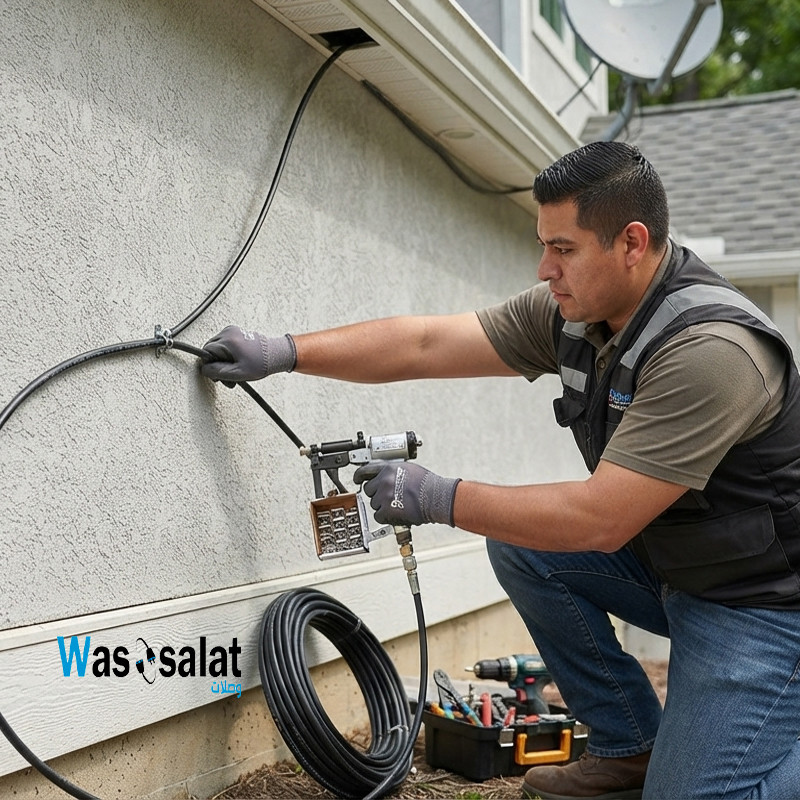
1. Avoid Sharp Bends
Sharp bends can damage the cable and alter impedance. Follow the manufacturer's bend radius specifications (typically 6–10 times the cable diameter).
2. Use Proper Stripping Tools
Professional coaxial strippers ensure clean, precise cuts without damaging the center conductor.
3. Secure Connectors Properly
- F-Type connectors should be hand-tight + quarter-turn with a wrench
- N-Type and BNC connectors should be tightened to specified torque
4. Weatherproof Outdoor Connections
- Use weatherproof compression connectors
- Apply self-amalgamating tape over outdoor connections
- Use weather boots for N-Type and other outdoor connectors
5. Use Cable Clips or Supports
Support cables every 3–5 feet to prevent sagging and stress on connectors.
6. Test After Installation
- Check continuity with a multimeter
- Verify impedance with a cable tester
- Test signal strength with field meters or spectrum analyzers
✅ Pro Tip: Always add 10–15% extra cable length for service loops. This allows for future reconnections and prevents stress on connections.
Applications & Use Cases
1. Cable Television (CATV)
RG-6 is the standard for residential and commercial TV distribution. It carries video and data signals from the provider to the set-top box or modem.
2. Satellite Television
RG-6 with quad shielding is recommended to prevent signal loss and interference from satellite dishes.
3. CCTV & Security Systems
RG-59 for short runs (under 100 feet) and RG-6 for longer CCTV runs. Video baluns can convert coax to twisted pair for network cameras.
4. Wireless Networks & WISP
LMR-400, LMR-600, and similar low-loss cables are used to connect wireless antennas to indoor equipment in WISP installations.
5. Radio Communications
50Ω coax (RG-58, RG-8, LMR-400) is used for amateur radio, two-way radios, and public safety communications.
6. Broadcast & Professional Video
75Ω coax (RG-6, RG-11, Belden 1694A) is used for studio video, SDI transmissions, and broadcast equipment.
7. Telecommunications
50Ω and 75Ω cables are used in telecom infrastructure for connecting antennas, base stations, and test equipment.
8. IoT & Smart Home
LMR-195 and RG-58 are common for IoT devices, sensors, and short-range wireless applications.
Common Problems & Troubleshooting
| Problem | Likely Cause | Solution |
|---|---|---|
| Weak Signal | Excessive cable length, low-quality cable | Upgrade to lower-loss cable (e.g., RG-11 or LMR-400), reduce cable length |
| Interference / Static | Poor shielding, damaged cable | Use double-shielded or quad-shielded cable, replace damaged sections |
| No Signal | Broken center conductor, loose connector | Check connections, test continuity, replace cable if damaged |
| Water Ingress | Unsealed outdoor connections | Use weatherproof connectors, apply sealing tape, inspect regularly |
| Signal Dropouts | Loose connections, cable damage | Re-terminate connectors, inspect cable for kinks or cuts |
| Reflections / Ghosting | Impedance mismatch | Use correct impedance cable (50Ω or 75Ω), install impedance matching adapters |
Frequently Asked Questions (FAQ)
1. What does "coaxial" mean?
"Coaxial" means "sharing the same axis." In a coaxial cable, the center conductor and outer shield share the same centerline.
2. What is the difference between 50Ω and 75Ω coaxial cables?
50Ω cables are used for RF and wireless applications (antennas, radios). 75Ω cables are used for video and data transmission (CCTV, TV, CATV).
3. Which coaxial cable is best for CCTV?
For CCTV, RG-6 is recommended for runs over 100 feet. RG-59 works for shorter distances (under 100 feet) and is more flexible.
4. Can I use 50Ω cable for video?
No. Video equipment expects 75Ω impedance. Using 50Ω will cause signal reflections and poor video quality.
5. How far can I run coaxial cable?
This depends on the cable type and frequency. RG-6 can run up to 200 feet for video, LMR-400 up to 300 feet for wireless, and fiber optics for longer distances.
6. What is the best coaxial cable for outdoor use?
LMR-400, LMR-600, and RG-6 with PE (polyethylene) jackets are excellent for outdoor use due to UV resistance and weather protection.
7. What is the difference between RG-6 and RG-59?
RG-6 has a thicker center conductor and better shielding, allowing longer runs and higher frequencies. RG-59 is thinner, more flexible, and suitable for short runs.
8. What is quad-shield coaxial cable?
Quad-shield cables have four layers of shielding (two foil + two braid), providing maximum protection against interference.
9. How do I terminate coaxial cable?
Use a coaxial stripper to remove the jacket, fold back the shielding, and attach a compression or crimp connector.
10. Can I splice coaxial cable?
Yes, using F-Type barrel connectors or BNC couplers. Avoid splicing without proper connectors as it causes signal loss.
11. What is plenum-rated coaxial cable?
Plenum-rated cable has a fire-retardant jacket that produces less toxic smoke when burned. It's required for installations in air circulation spaces (above drop ceilings).
12. Why is my coax signal weak?
Common causes include: excessive cable length, low-quality cable, damaged connectors, water ingress, or interference from nearby cables.
? Related Articles
- The Complete Guide to Antennas
- Types of Coaxial Cables Explained
- Coaxial Connectors Guide
- Coaxial Cable Loss Calculator
- Complete Guide to RF Connectors
- Complete Guide to Network Cables
? Shop Professional Coaxial Cables
Whether you need RG-6 for your home theater, LMR-400 for your wireless network, or custom-length assemblies for professional installations, we've got you covered.
Explore our complete range of high-quality coaxial cables, connectors, and accessories:
Last Updated: July 2026
© 2026 Wassalat. All rights reserved.
Posted in:
Coaxial Cables
Related posts
-
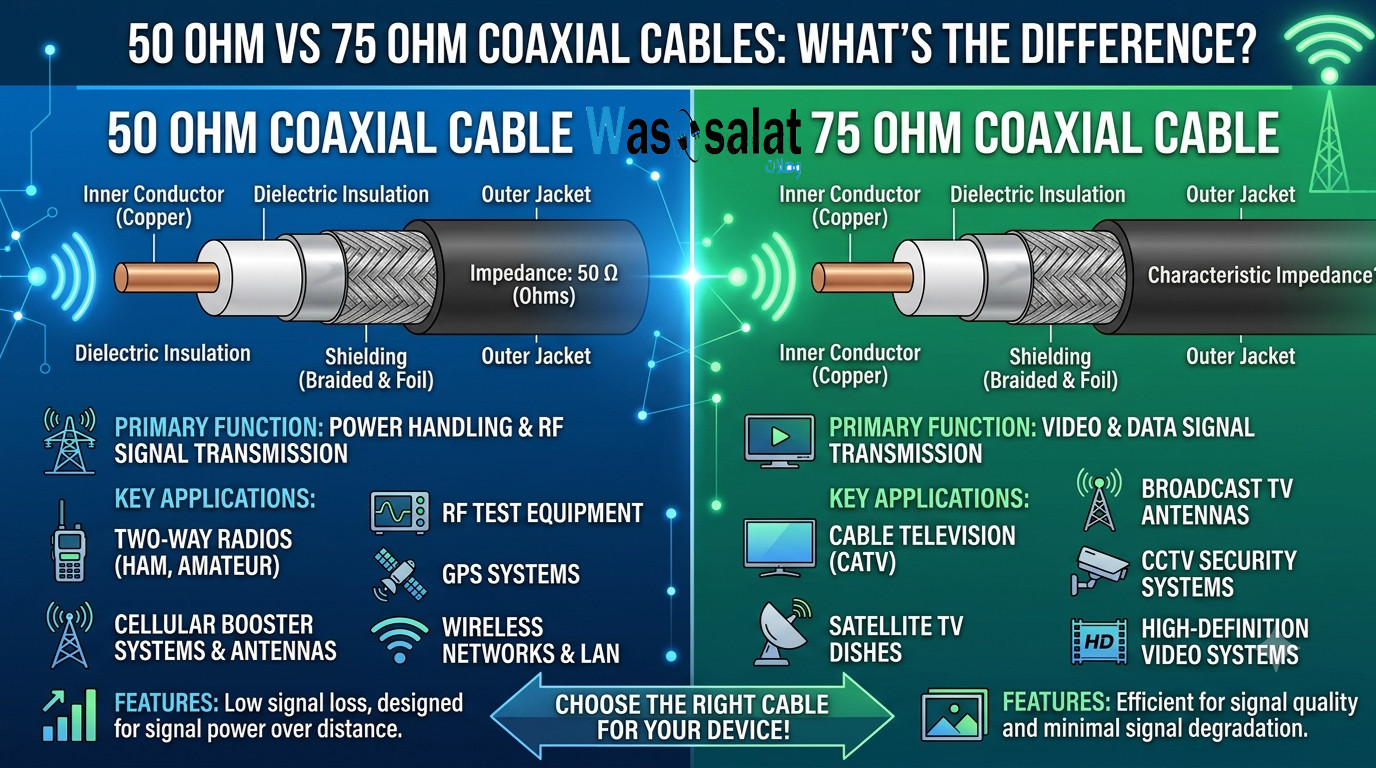 50 Ohm vs 75 Ohm Coaxial Cables: What's the Difference?
Learn the key differences between 50Ω and 75Ω coaxial cables. Find out which impedance you need for WiFi, TV, CCTV,...Read more
50 Ohm vs 75 Ohm Coaxial Cables: What's the Difference?
Learn the key differences between 50Ω and 75Ω coaxial cables. Find out which impedance you need for WiFi, TV, CCTV,...Read more -
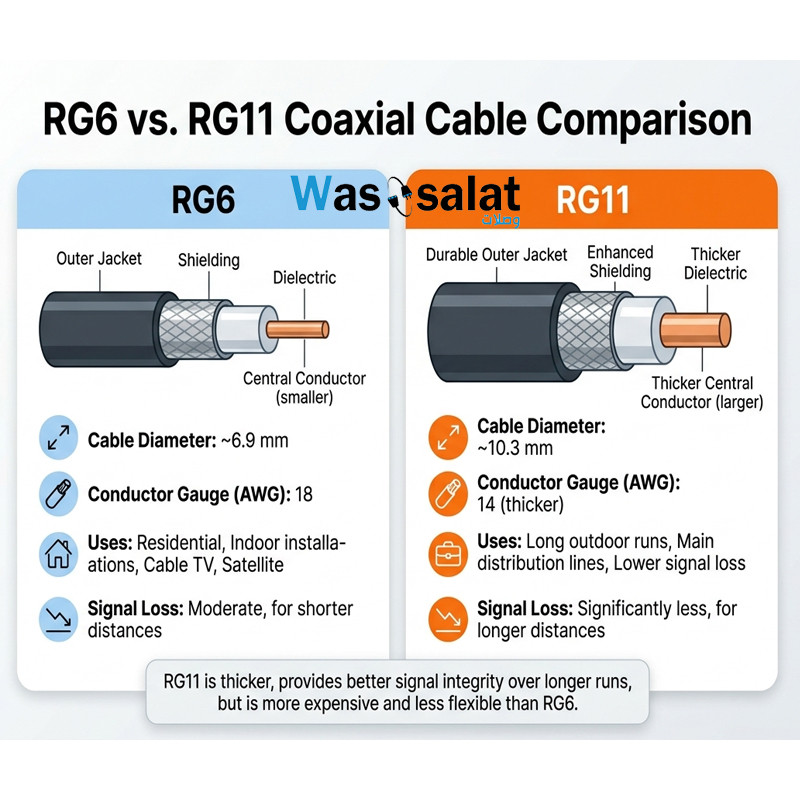 RG6 vs RG11 Coaxial Cables: Which One Do You Need?
Compare RG6 and RG11 coaxial cables. Learn the differences in performance, distance, cost, and when to use each for...Read more
RG6 vs RG11 Coaxial Cables: Which One Do You Need?
Compare RG6 and RG11 coaxial cables. Learn the differences in performance, distance, cost, and when to use each for...Read more -
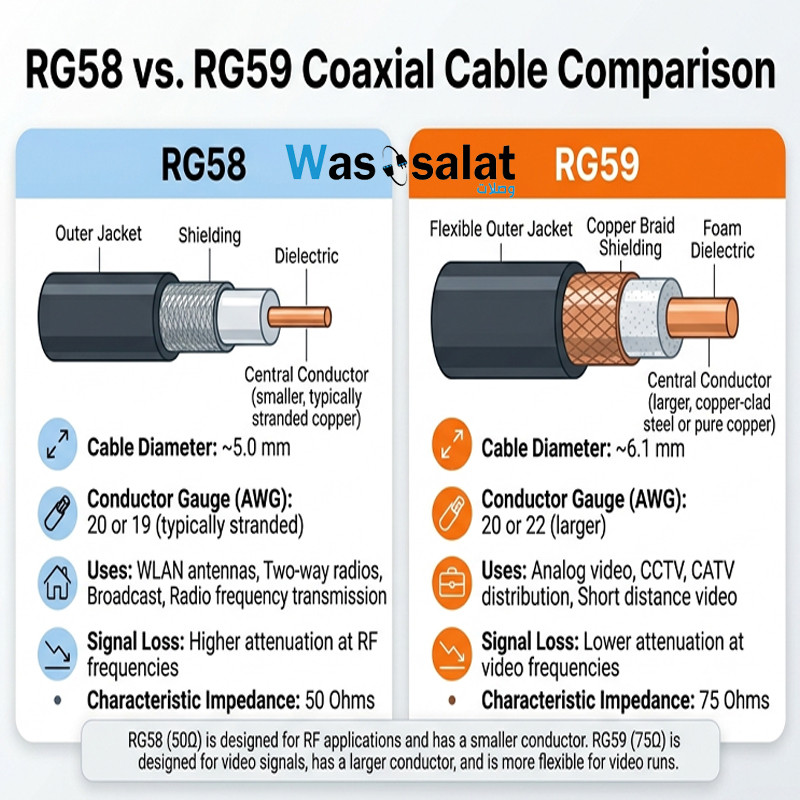 RG58 vs RG59 Coaxial Cables: What's the Difference?
Compare RG58 and RG59 coaxial cables. Learn the critical impedance difference, applications for RF vs video, and...Read more
RG58 vs RG59 Coaxial Cables: What's the Difference?
Compare RG58 and RG59 coaxial cables. Learn the critical impedance difference, applications for RF vs video, and...Read more -
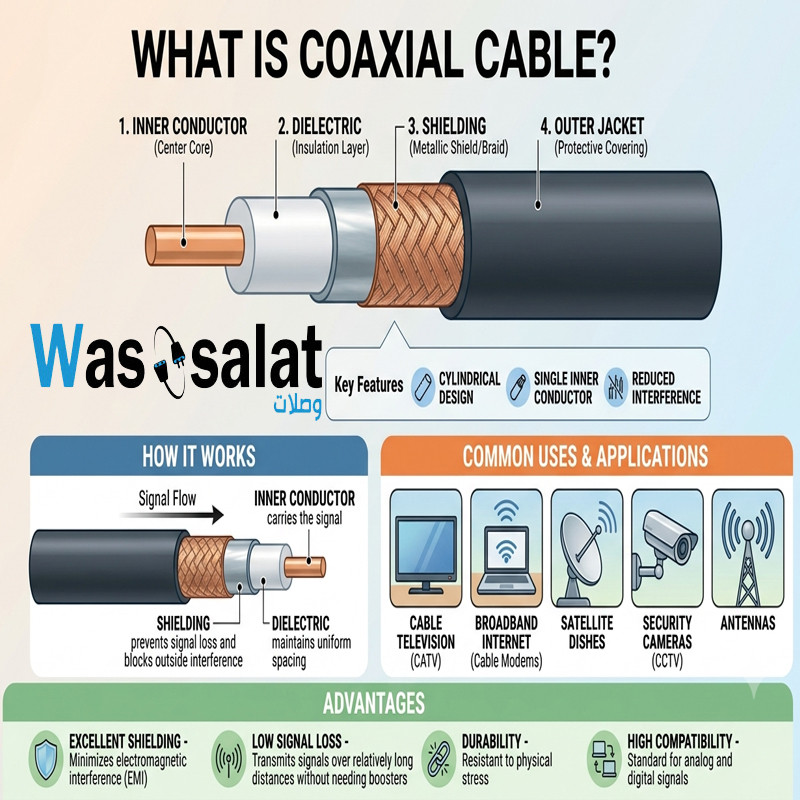 What Is a Coaxial Cable? The Complete Beginner's Guide
Learn what coaxial cables are, how they work, their construction, types, and applications. The beginner's guide to...Read more
What Is a Coaxial Cable? The Complete Beginner's Guide
Learn what coaxial cables are, how they work, their construction, types, and applications. The beginner's guide to...Read more -
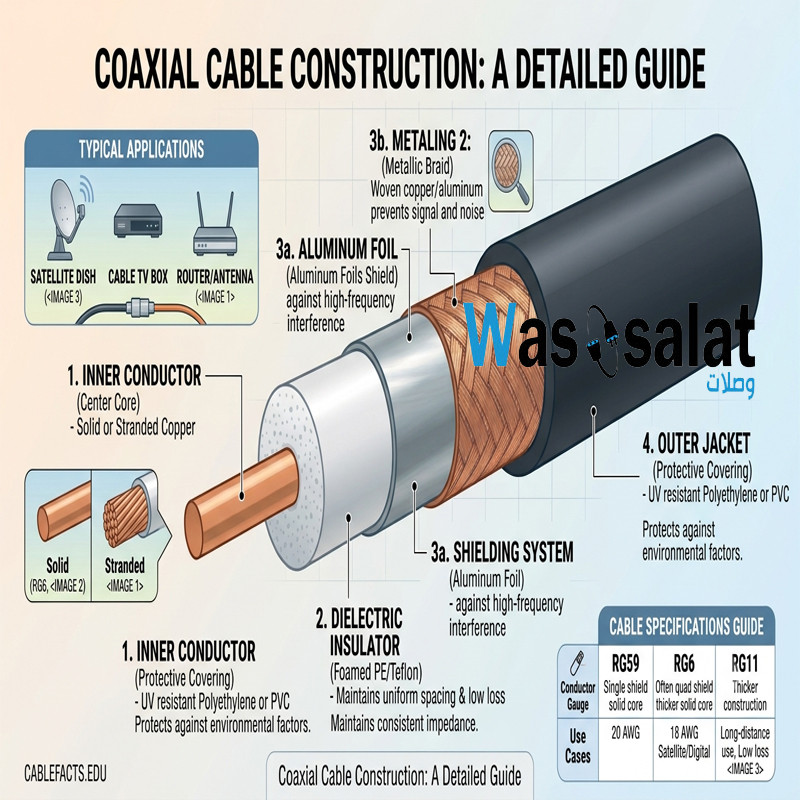 Coaxial Cable Construction: A Complete Layer-by-Layer Breakdown
Learn how coaxial cables are constructed. Understand each layer—conductor, dielectric, shield, and jacket—and how...Read more
Coaxial Cable Construction: A Complete Layer-by-Layer Breakdown
Learn how coaxial cables are constructed. Understand each layer—conductor, dielectric, shield, and jacket—and how...Read more
Latest posts
-
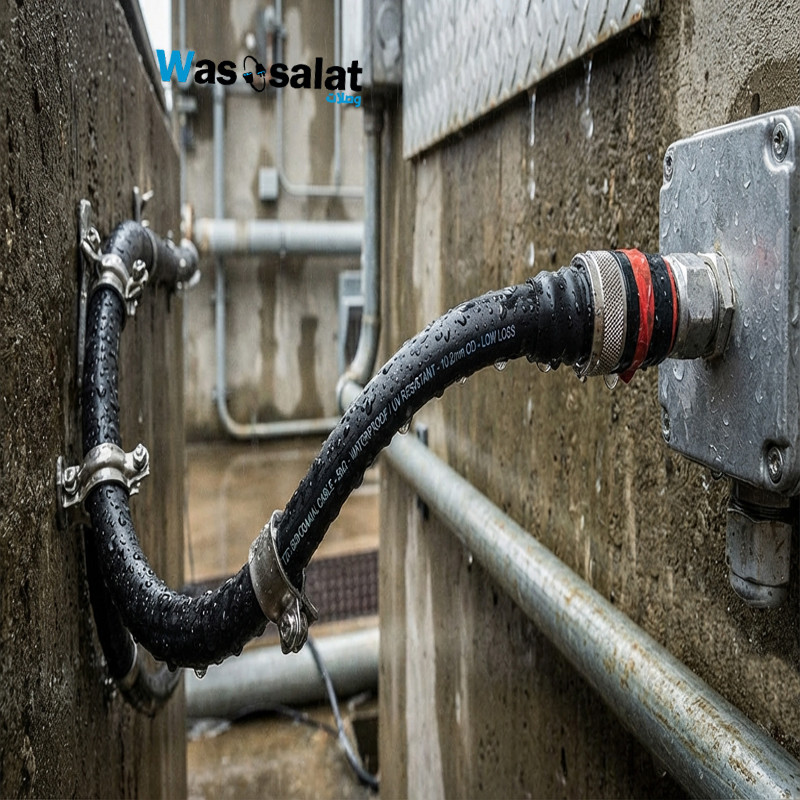 Waterproof Coaxial Cable: The Complete GuideRead more
 -
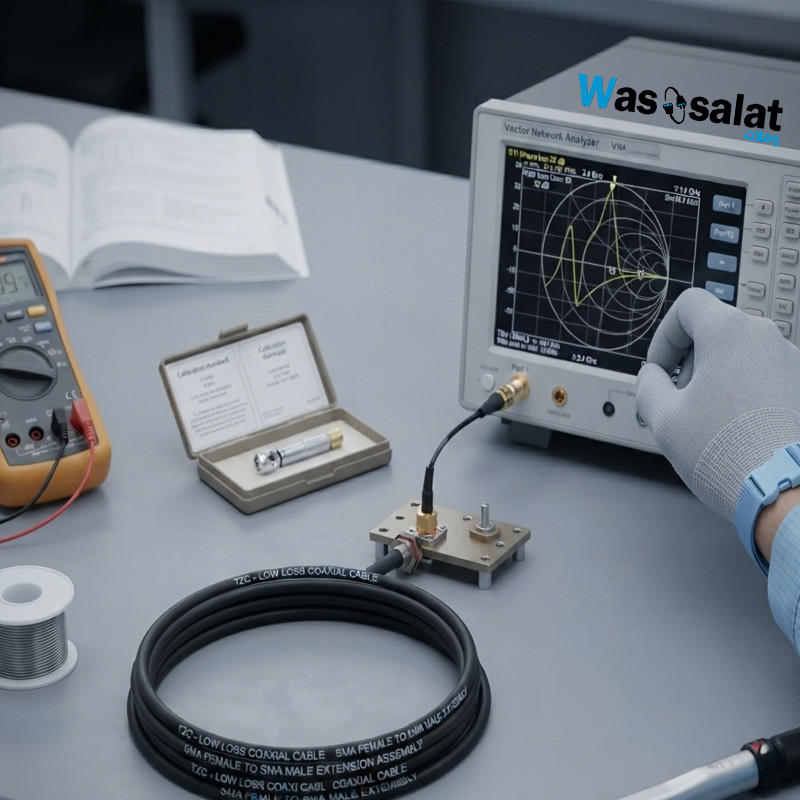 Testing Coaxial Cable: The Complete GuideRead more
This comprehensive guide covers everything you need to know about testing coaxial cable—from simple continuity checks...
-
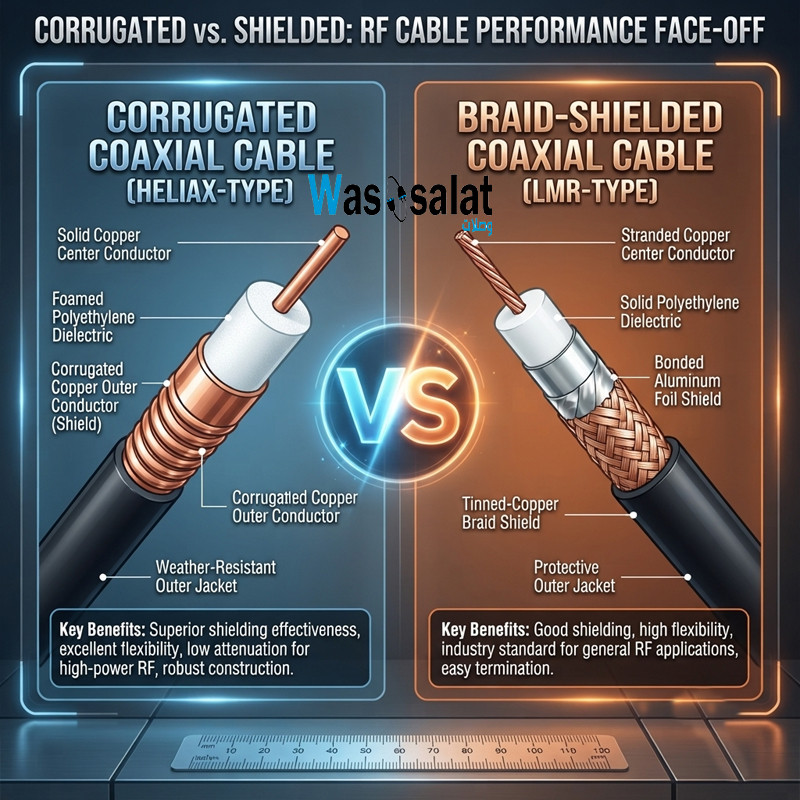 Corrugated Coaxial Cable vs Shielded Coaxial Cable: Complete ComparisonRead more
This comprehensive guide compares both technologies—explaining the differences in construction, performance,...
-
 Installing Coaxial Cable: The Complete GuideRead more
This comprehensive guide compares double shield and quad shield coaxial cables—explaining the differences in...
-
 Double Shield vs Quad Shield: Which Coaxial Cable Should You Choose?Read more
This comprehensive guide compares double shield and quad shield coaxial cables—explaining the differences in...
-
 Shielding Types in Coaxial Cables: Complete GuideRead more
This comprehensive guide explains everything you need to know about shielding types—from single shield to quad...
-
 Cable Attenuation Explained: Understanding Signal LossRead more
This comprehensive guide explains everything you need to know about cable attenuation—what it is, what causes it, how...
-
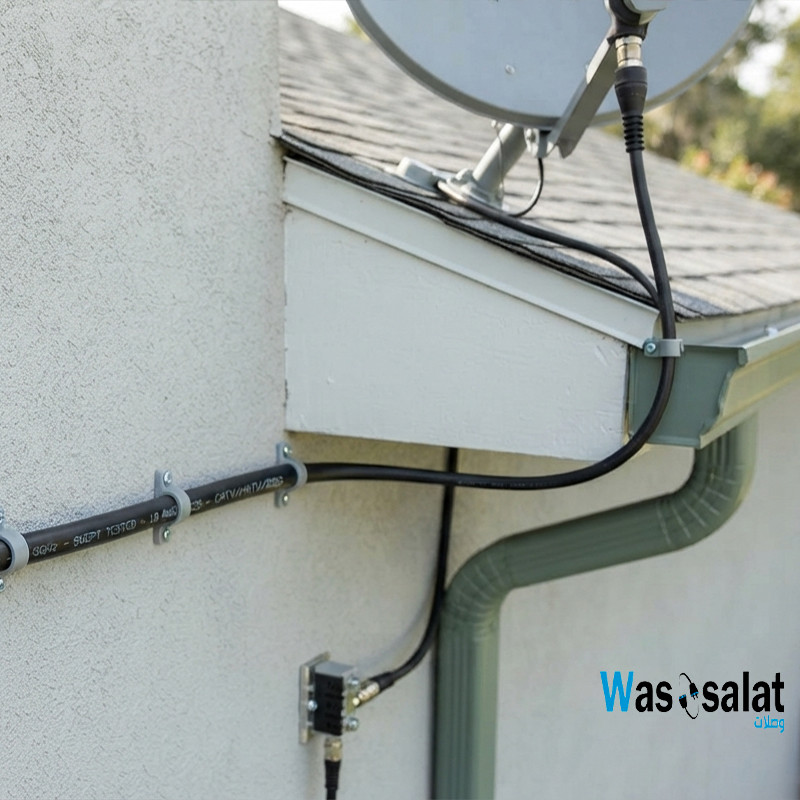 Outdoor Coaxial Cable: Complete Guide & Selection TipsRead more
Choose the right outdoor coaxial cable for your installation. Compare TZC-500/32 vs TZC-500/97, learn about PE...
-
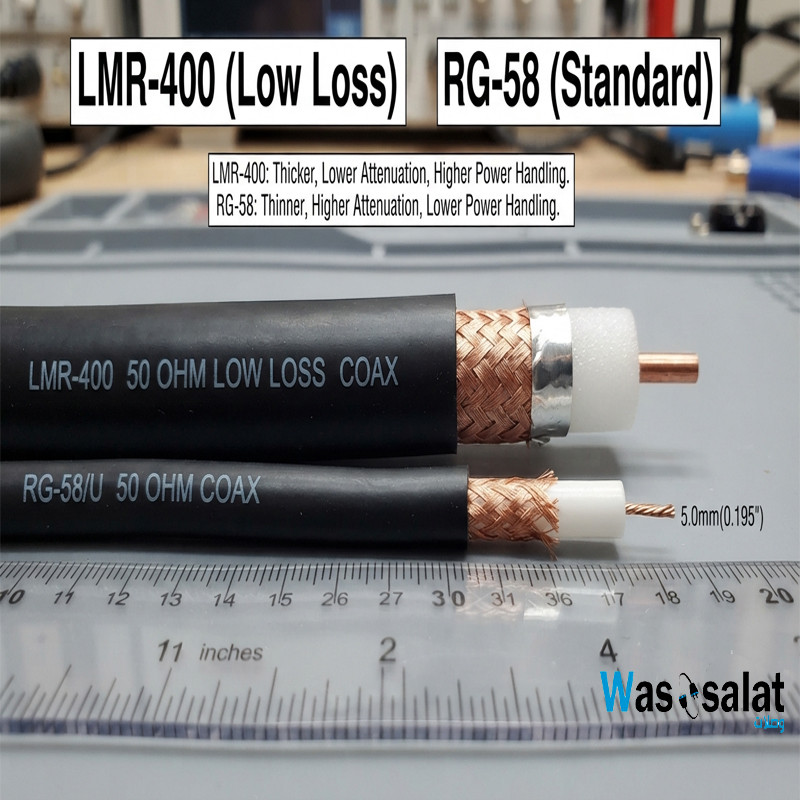 LMR-400 vs RG58: Which Coaxial Cable Should You Choose?Read more
Compare LMR-400 vs RG58 coaxial cables. Learn the differences in signal loss, construction, flexibility, and...
-
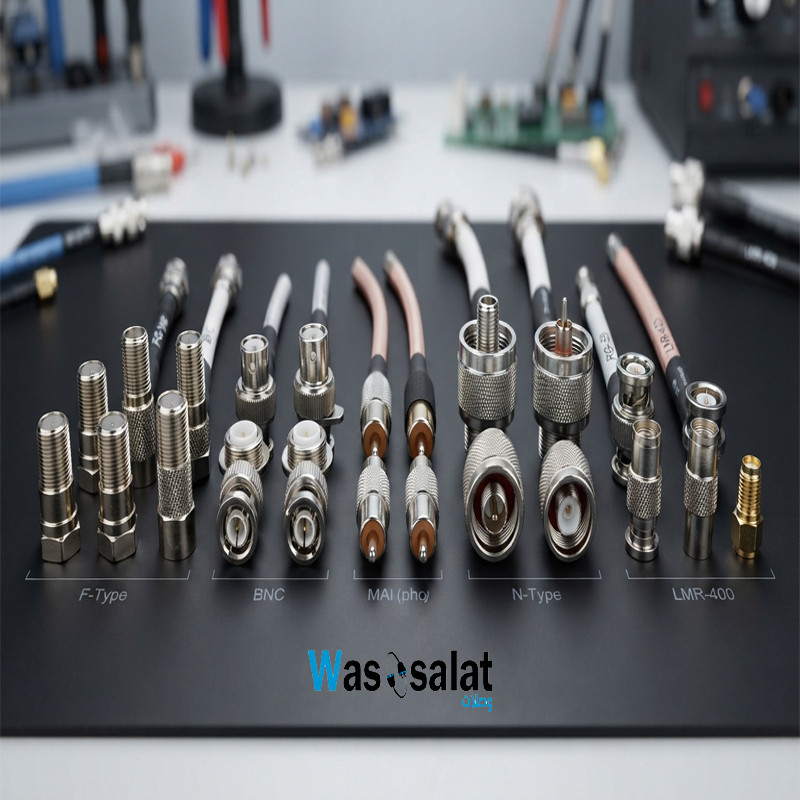 Coax Cable Connectors: Complete Guide to F-Type, BNC, N-Type, SMARead more
Learn about coaxial cable connectors—F-Type, BNC, N-Type, SMA, TNC, and UHF. Compare impedances, frequencies, and...
Leave a comment