
This comprehensive guide covers everything you need to know about waterproof coaxial cables—from understanding water...
Satellite Coaxial Cables: Complete Guide for TV Installations
Satellite Coaxial Cables: The Complete Guide
Published by Wassalat Technical Team
Satellite TV is one of the most demanding applications for coaxial cables. With frequencies ranging from 950 MHz to 2150 MHz and signals traveling from space, cable quality is critical for reliable reception.
This comprehensive guide covers everything you need to know about coaxial cables for satellite TV—from dish to receiver, from single LNB to multi-switch systems.
? Table of Contents
Why Satellite Cables Are Different
Satellite TV places unique demands on coaxial cables that other applications don't:
1. High Frequencies
Satellite signals operate at 950 MHz to 2150 MHz (L-Band). This is much higher than cable TV (5-1000 MHz) and requires cables with low loss at high frequencies.
2. Weak Signals
Satellite signals travel 22,000 miles from space to your dish. The signal is extremely weak by the time it reaches your receiver. Every bit of cable loss matters.
3. Power Transmission
Satellite cables carry DC power (13V or 18V) from the receiver to the LNB (Low Noise Block downconverter) on the dish. The cable must efficiently carry both power and signal.
4. Interference Susceptibility
Satellite signals are easily disrupted by interference from:
- WiFi routers (2.4 GHz and 5 GHz)
- Cellular towers
- Power lines
- Other electronic devices
? Key Insight: The cable between your satellite dish and receiver is the weakest link in the system. Quality cable = quality reception.
The 75Ω Standard
All satellite TV equipment uses 75Ω impedance. This includes:
- ? Satellite dishes and LNBs
- ? Satellite receivers and set-top boxes
- ? Multi-switches and splitters
- ? Wall plates and connectors
Using a 50Ω cable (like RG-58 or LMR-400) will cause impedance mismatch, signal reflections, and poor satellite reception. Always use 75Ω cables for satellite TV.
⚠️ Critical: Never use 50Ω cables for satellite TV. Only use 75Ω cables like RG-6 or RG-11 with proper F-Type connectors.
RG6: The Satellite Standard
RG6 is the worldwide standard for satellite TV installations. All professional satellite installers use RG6.
Why RG6 for Satellite?
- ✅ Low signal loss – Critical for weak satellite signals
- ✅ High frequency support – Operates up to 3 GHz
- ✅ Power handling – Carries 13V/18V to the LNB
- ✅ Widely available – Easy to find
- ✅ Industry approved – Used by all major satellite providers
RG6 Specifications for Satellite
| Parameter | RG6 Value | Satellite Requirement |
|---|---|---|
| Impedance | 75Ω | 75Ω |
| Center Conductor | 18 AWG (Copper) | Solid Copper preferred |
| Shielding | Quad Shield | Quad Shield required |
| Jacket | PE (Polyethylene) | UV-resistant outdoor |
| Attenuation @ 1 GHz | ≤ 8.5 dB/100ft | Low loss critical |
| Max Length | 150 ft (recommended) | Varies by installation |
✅ Recommendation: For satellite TV, always use RG6 with solid copper center conductor and quad shielding.
RG11: For Long Runs
For satellite installations with runs over 150 feet, RG11 provides lower signal loss and better performance.
RG11 Specifications for Satellite
| Parameter | RG11 Value | Benefit for Satellite |
|---|---|---|
| Impedance | 75Ω | Matched to equipment |
| Center Conductor | 14 AWG (Copper) | Lower resistance = less loss |
| Attenuation @ 1 GHz | 5.4 dB/100ft | 36% less loss than RG6 |
| Max Length | 300 ft | Double the distance of RG6 |
When to Use RG11
- ✅ Runs over 150 feet – RG6 loss becomes significant
- ✅ Large homes – Dish on one side, receiver on the other
- ✅ Commercial buildings – Roof-mounted dishes with interior receivers
- ✅ Multi-dwelling units – Central distribution systems
? Pro Tip: RG11 requires RG11-specific F-Type connectors. Standard RG6 connectors will not fit. Always buy matching connectors.
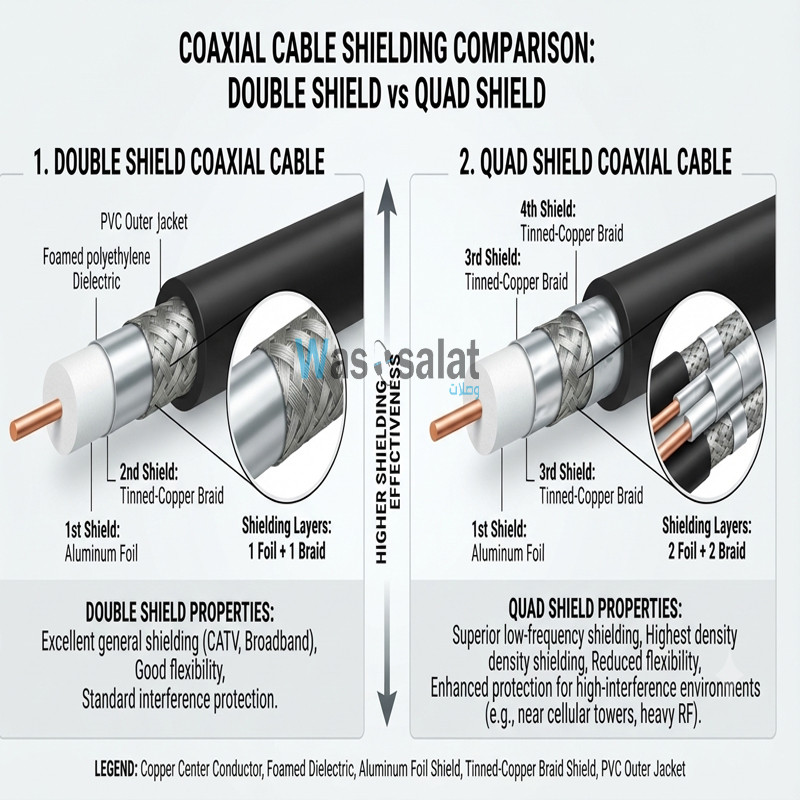
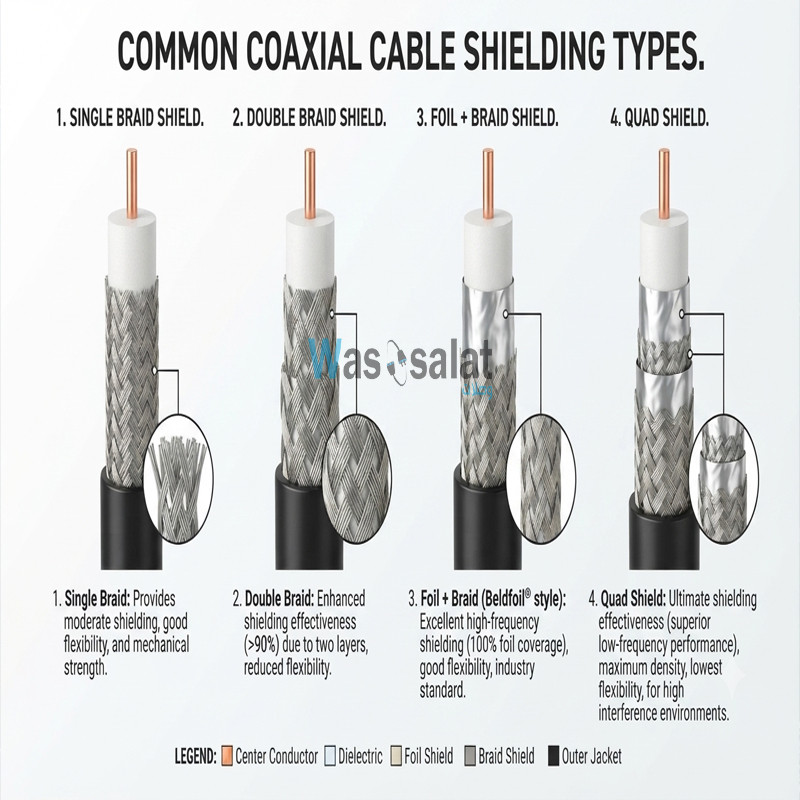
Quad Shield vs Dual Shield for Satellite
For satellite TV, quad shield is strongly recommended. Here's why:
Dual Shield (Foil + Braid)
- ? Good protection for most applications
- ? Suitable for cable TV
- ? May not be sufficient for satellite
- ? More susceptible to WiFi and cellular interference
Quad Shield (Foil + Braid + Foil + Braid)
- ? Maximum protection against interference
- ? Essential for satellite TV
- ? Blocks WiFi, cellular, and EMI interference
- ? Required for installations near power lines or RF sources
Interference Sources to Block
| Interference Source | Frequency | Impact on Satellite |
|---|---|---|
| WiFi 2.4 GHz | 2.4 GHz | Can interfere with LNB power |
| WiFi 5 GHz | 5 GHz | Less impact but possible |
| Cellular 4G/5G | 700-2600 MHz | Can cause pixelation |
| Power Lines | 50/60 Hz | Hum bars in video |
| Microwave Ovens | 2.45 GHz | Signal dropout when operating |
⚠️ Warning: In areas with strong WiFi or cellular signals (urban areas), quad shield is not optional—it's essential for reliable satellite reception.
Satellite Frequency Bands
Satellite TV operates in specific frequency bands. Your cable must support these frequencies:
L-Band (950 MHz – 2150 MHz)
What it is: The IF (Intermediate Frequency) signal from the LNB to the receiver
Cable Requirement: Low loss at 1-2 GHz
Typical Use: All satellite TV systems
Ku-Band (10.7 GHz – 12.75 GHz)
What it is: The signal from the satellite to the dish
Cable Requirement: N/A (this signal is received by the dish, not carried by cable)
Typical Use: Direct-to-home (DTH) satellite TV
Ka-Band (26.5 GHz – 40 GHz)
What it is: Higher frequency band for newer satellites
Cable Requirement: Future systems may require upgraded cables
Typical Use: Newer satellites, high-speed internet
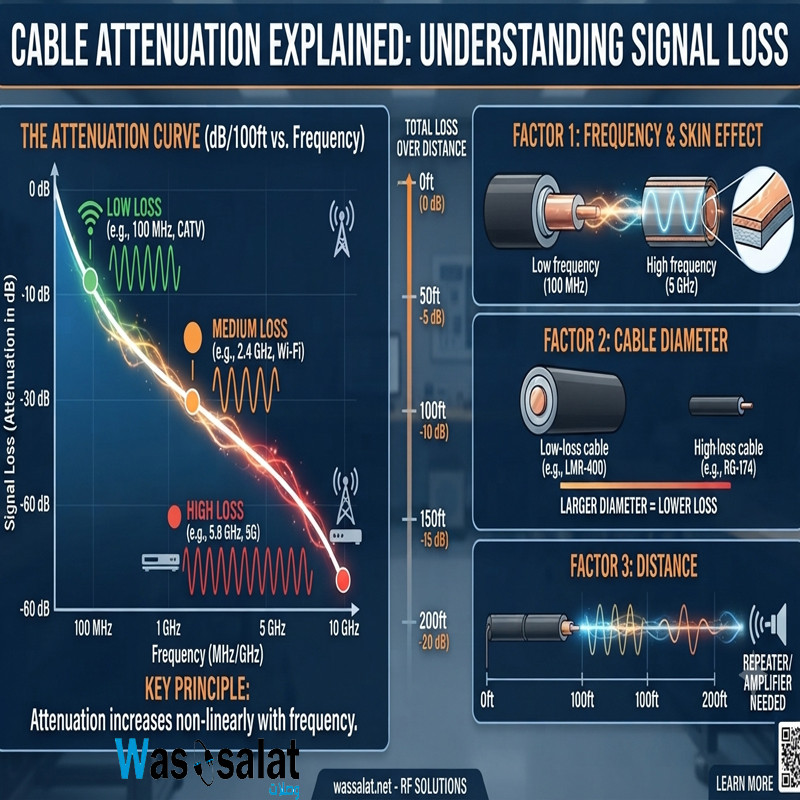
Frequency vs Cable Loss
| Frequency | RG6 Loss (dB/100ft) | RG11 Loss (dB/100ft) | Comment |
|---|---|---|---|
| 950 MHz | 8.3 dB | 5.2 dB | Lower L-Band |
| 1450 MHz | 10.2 dB | 6.5 dB | Mid L-Band |
| 1950 MHz | 11.8 dB | 7.5 dB | High L-Band |
| 2150 MHz | 12.5 dB | 8.0 dB | Maximum L-Band |
Satellite System Components
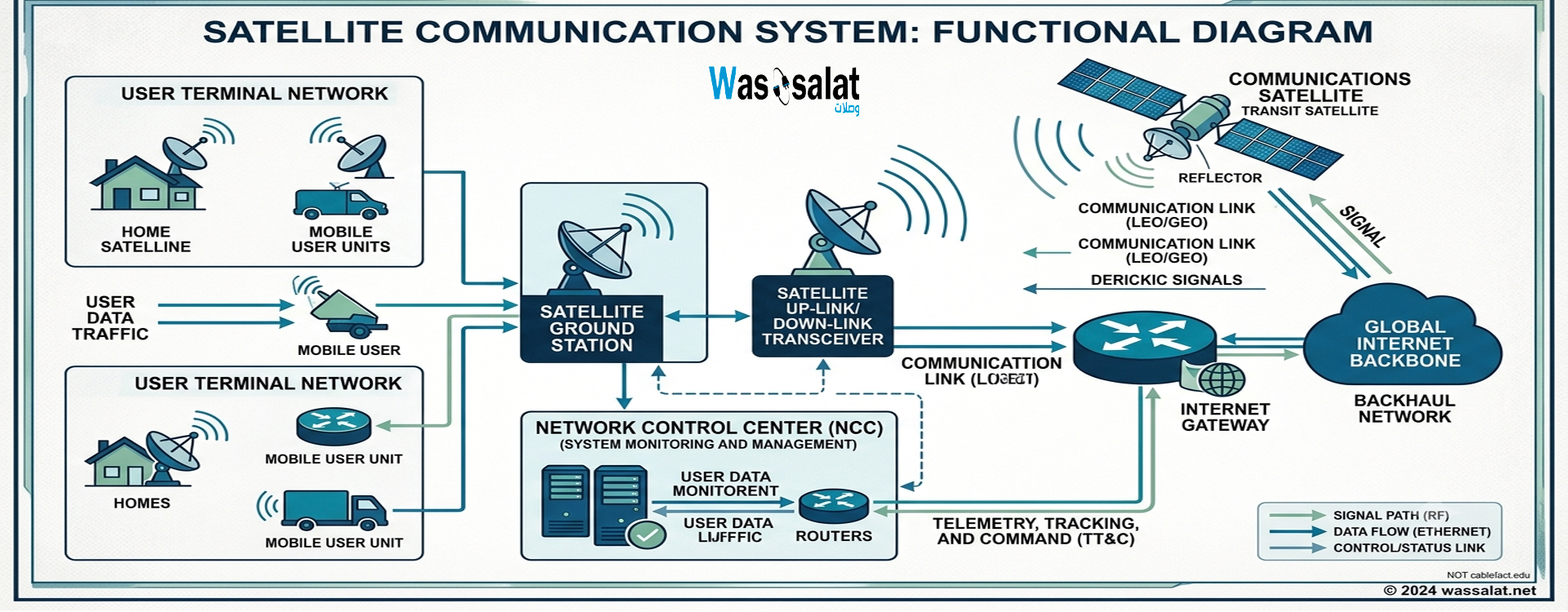
A complete satellite TV system includes several components connected by coaxial cable:
1. Satellite Dish
The dish collects signals from satellites and focuses them on the LNB.
2. LNB (Low Noise Block downconverter)
Mounted on the dish arm. Converts the high-frequency satellite signal to L-Band (950-2150 MHz). Requires DC power (13V or 18V) from the receiver.
3. Coaxial Cable
Connects the LNB to the receiver. Carries both RF signal and DC power.
4. Receiver / Set-Top Box
Decodes the satellite signal for display on your TV. Provides DC power to the LNB.
5. Multi-Switch (Optional)
Distributes signal to multiple receivers. Used for multi-room installations.
6. Splitters (Optional)
Split signal to multiple TVs. Each split adds signal loss (typically 3.5 dB per port).
System Diagram
F-Type Connectors for Satellite
F-Type connectors are the standard for satellite TV. Choose the right type:
1. Compression F-Type (Best)
Quality: Excellent
Weatherproof: Yes (with proper installation)
Recommended: Professional installations
Advantage: Most reliable connection, lowest signal loss
2. Crimp F-Type (Good)
Quality: Good
Weatherproof: Varies
Recommended: Indoor installations
Advantage: Reliable, cost-effective
3. Screw-On F-Type (Avoid)
Quality: Poor
Weatherproof: No
Recommended: Not for satellite
Disadvantage: High signal loss, unreliable connection
Connector Size Matters
| Cable Type | Connector Type | Notes |
|---|---|---|
| RG6 | Standard F-Type | Fits 6.9mm cable |
| RG11 | RG11 F-Type | Fits 10.3mm cable |
? Tip: Always use compression F-Type connectors for satellite installations. They provide the best reliability and weather resistance.
Maximum Distance Guide
Satellite signals are weak, so cable length must be carefully managed.
Distance Limits by Cable Type
| Cable Type | Maximum Recommended | With Amplifier | LNB Type |
|---|---|---|---|
| RG6 Quad Shield | 100-150 ft | 200 ft | Standard LNB |
| RG6 Quad Shield | 75-100 ft | 150 ft | Universal LNB (requires higher voltage) |
| RG11 Quad Shield | 200-300 ft | 400 ft | Standard LNB |
| RG11 Quad Shield | 150-200 ft | 300 ft | Universal LNB |
Factors That Reduce Distance
- ? Universal LNBs – Require higher voltage, more power loss
- ? Multiple LNBs – More power draw
- ? Switches and splitters – Add signal loss (3.5 dB per port)
- ? Poor quality cable – Higher attenuation
- ? Old or damaged cable – Increased loss
⚠️ Warning: Exceeding maximum distance can cause:
- Pixelation and freezing
- Loss of channels
- LNB power failure
- Complete signal loss
Installation Best Practices
1. Use Quad Shield Cable
Always use RG6 or RG11 with quad shield for satellite installations. The extra shielding is essential.
2. Solid Copper Conductor
Use cable with a solid copper center conductor, not copper-clad steel (CCS) or copper-clad aluminum (CCA). Solid copper has lower resistance and better power transfer.
3. Weatherproof All Connections
Outdoor connections must be weatherproofed:
- Use weatherproof F-Type connectors
- Apply self-amalgamating tape over connections
- Use weather boots on connectors
- Point connectors downward to prevent water ingress
4. Avoid Sharp Bends
Sharp bends can damage the cable and alter impedance. Maintain minimum bend radius of 2-3 inches for RG6, 4-6 inches for RG11.
5. Use Proper Drip Loops
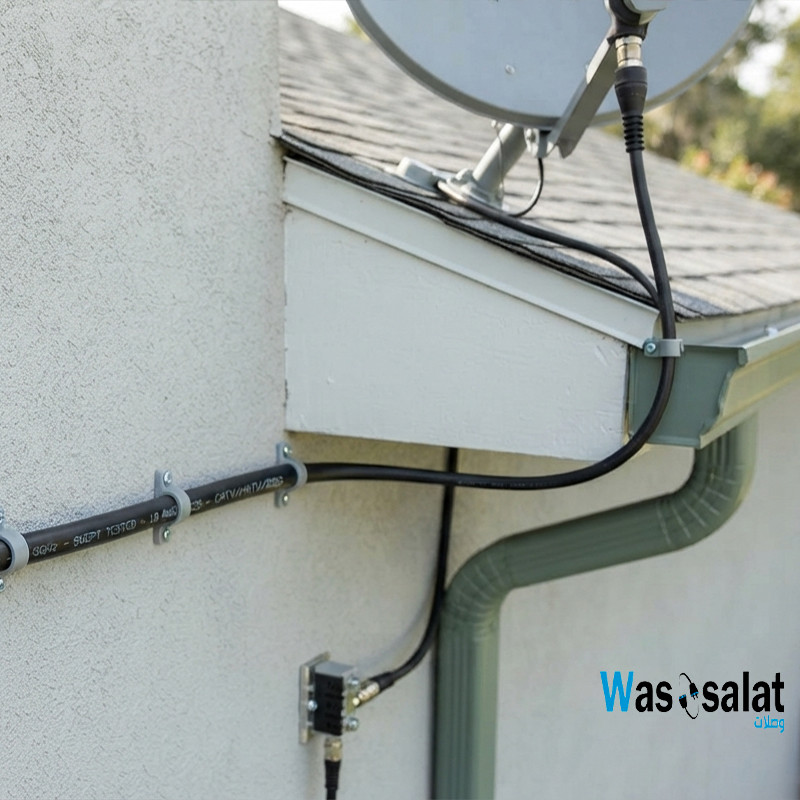
Create a drip loop (a small U-shaped loop) at the point where the cable enters the building. This prevents water from running along the cable into the wall.
6. Ground the System
Satellite systems must be properly grounded to protect against lightning strikes. Ground the dish and the cable entry point.
7. Keep Cable Runs Short
Plan your installation to minimize cable length. Every foot of cable adds loss.
8. Test the System
After installation:
- Check signal strength and quality on the receiver
- Verify all channels are working
- Check for pixelation or freezing
- Test during rain or bad weather
Frequently Asked Questions (FAQ)
1. What is the best coaxial cable for satellite TV?
RG6 with solid copper center conductor and quad shielding is the best choice for satellite TV. For runs over 150 feet, use RG11.
2. Can I use RG59 for satellite TV?
No. RG59 has too much signal loss at satellite frequencies (950-2150 MHz). You will experience pixelation and channel loss. Always use RG6 or RG11.
3. How long can a satellite coax cable be?
For RG6, maximum recommended length is 100-150 feet. For RG11, maximum is 200-300 feet. Longer runs may require signal amplifiers.
4. What is the difference between RG6 and RG11 for satellite?
RG11 has lower signal loss (about 36% less) than RG6 and can run about twice as far. However, it's thicker, stiffer, more expensive, and requires different connectors.
5. Do I need quad-shield coax for satellite?
Yes. Quad-shield is strongly recommended for satellite TV to block interference from WiFi, cellular, and other sources.
6. What type of connector does satellite TV use?
Satellite TV uses F-Type connectors. For the best performance, use compression F-Type connectors, not screw-on types.
7. Can I use RG6 for satellite and cable TV?
Yes. RG6 works for both cable TV and satellite TV. However, satellite requires quad-shield while cable TV often uses dual-shield.
8. Can I use cable TV coax for satellite?
It depends. If the cable is RG6 with quad shield, yes. If it's RG59 or RG6 with dual shield only, it's not recommended.
9. Does satellite coax carry power?
Yes. The cable carries 13V (for vertical polarization) or 18V (for horizontal polarization) DC power from the receiver to the LNB on the dish.
10. Can I extend my satellite coax cable?
Yes, using a barrel connector (F-Type coupler). However, each connection adds signal loss. For long extensions, use RG11 instead of adding multiple connections.
11. What is a universal LNB?
A universal LNB covers both Ku-band (10.7-12.75 GHz) and requires 13V/18V switching. It may require shorter cable runs than standard LNBs.
12. Why does my satellite signal pixelate in rain?
Rain can weaken satellite signals (rain fade). Good quality cable with low loss helps minimize this effect. Quad-shield cable also helps by reducing interference.
? Related Articles
- Complete Guide to Coaxial Cables
- RG6 vs RG11
- Best Coax Cable for TV
- Coaxial Cable Impedance
- 50 Ohm vs 75 Ohm Coax
- Coaxial Cable Connectors Guide
- Browse Coaxial Cables →
? Need Satellite Coaxial Cables?
We stock professional satellite-grade RG6 and RG11 cables with solid copper conductors and quad shielding. Perfect for all satellite TV systems—from single LNB to multi-room installations.
Last Updated: July 2026
© 2026 Wassalat. All rights reserved.
Posted in:
Coaxial Cables
Related posts
-
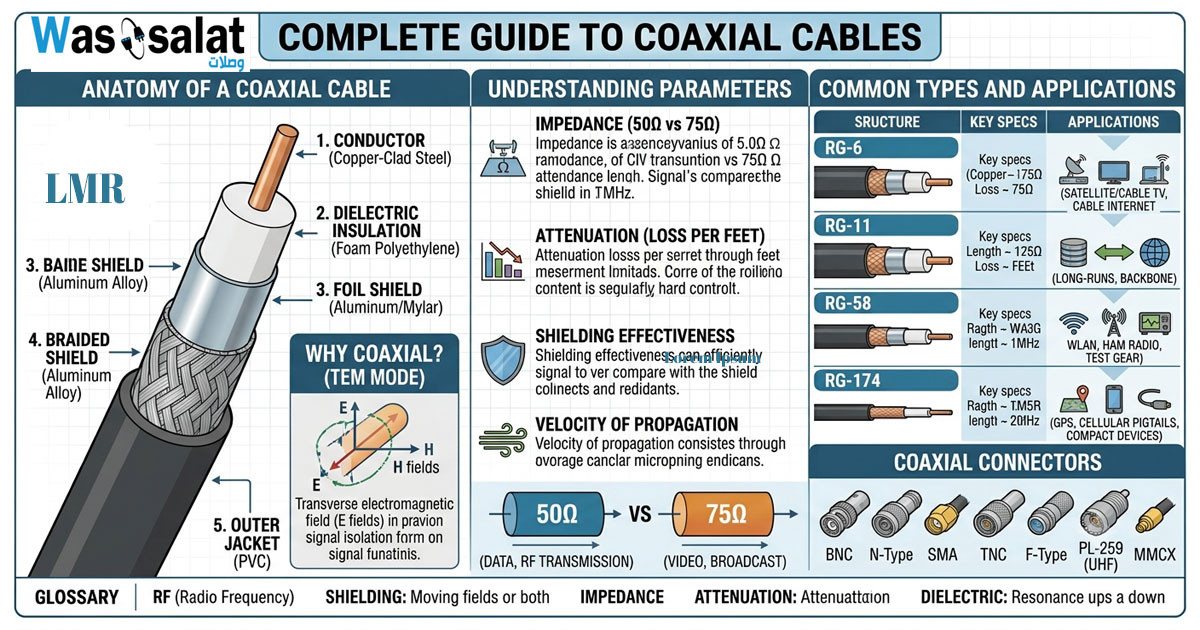 Complete Guide to Coaxial Cables
Everything you need to know about RG-6, LMR-400, impedance, connectors & troubleshooting.Read more
Complete Guide to Coaxial Cables
Everything you need to know about RG-6, LMR-400, impedance, connectors & troubleshooting.Read more -
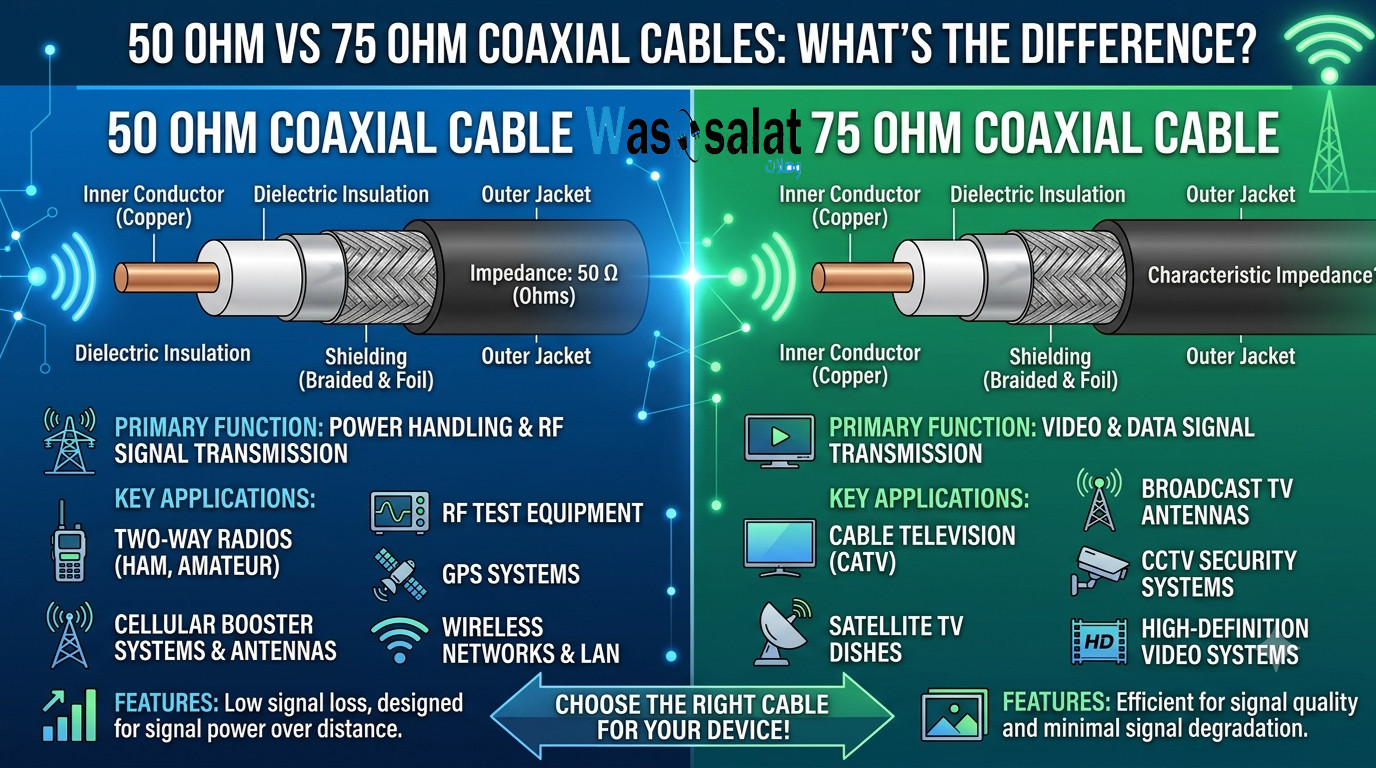 50 Ohm vs 75 Ohm Coaxial Cables: What's the Difference?
Learn the key differences between 50Ω and 75Ω coaxial cables. Find out which impedance you need for WiFi, TV, CCTV,...Read more
50 Ohm vs 75 Ohm Coaxial Cables: What's the Difference?
Learn the key differences between 50Ω and 75Ω coaxial cables. Find out which impedance you need for WiFi, TV, CCTV,...Read more -
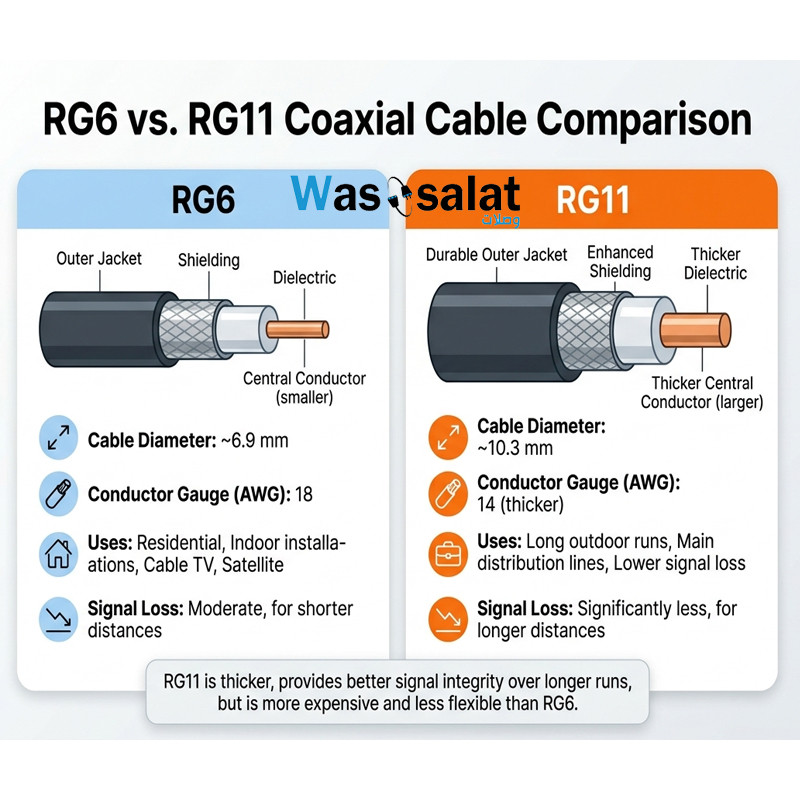 RG6 vs RG11 Coaxial Cables: Which One Do You Need?
Compare RG6 and RG11 coaxial cables. Learn the differences in performance, distance, cost, and when to use each for...Read more
RG6 vs RG11 Coaxial Cables: Which One Do You Need?
Compare RG6 and RG11 coaxial cables. Learn the differences in performance, distance, cost, and when to use each for...Read more -
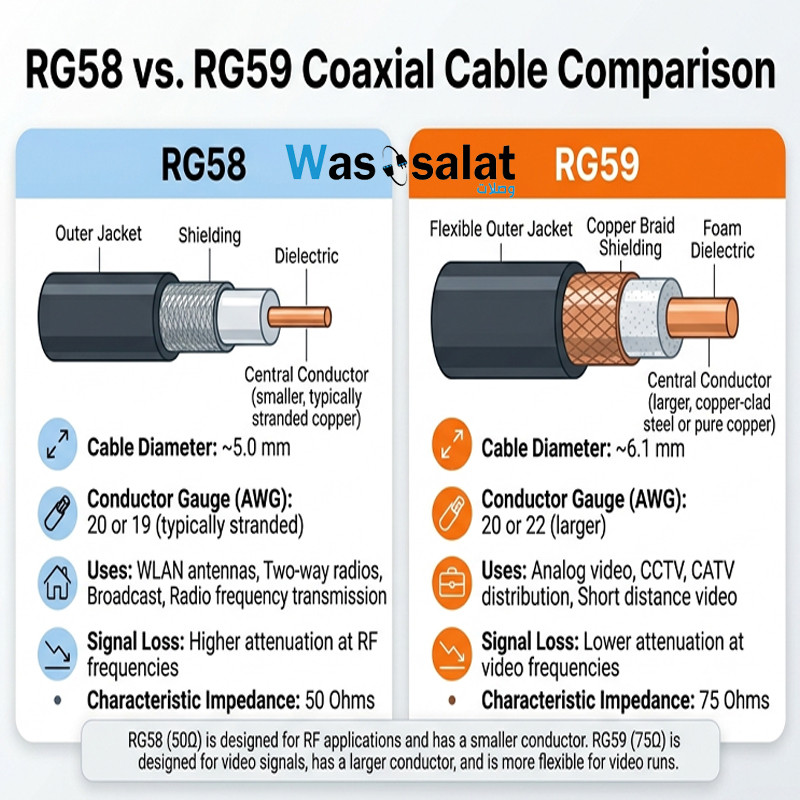 RG58 vs RG59 Coaxial Cables: What's the Difference?
Compare RG58 and RG59 coaxial cables. Learn the critical impedance difference, applications for RF vs video, and...Read more
RG58 vs RG59 Coaxial Cables: What's the Difference?
Compare RG58 and RG59 coaxial cables. Learn the critical impedance difference, applications for RF vs video, and...Read more -
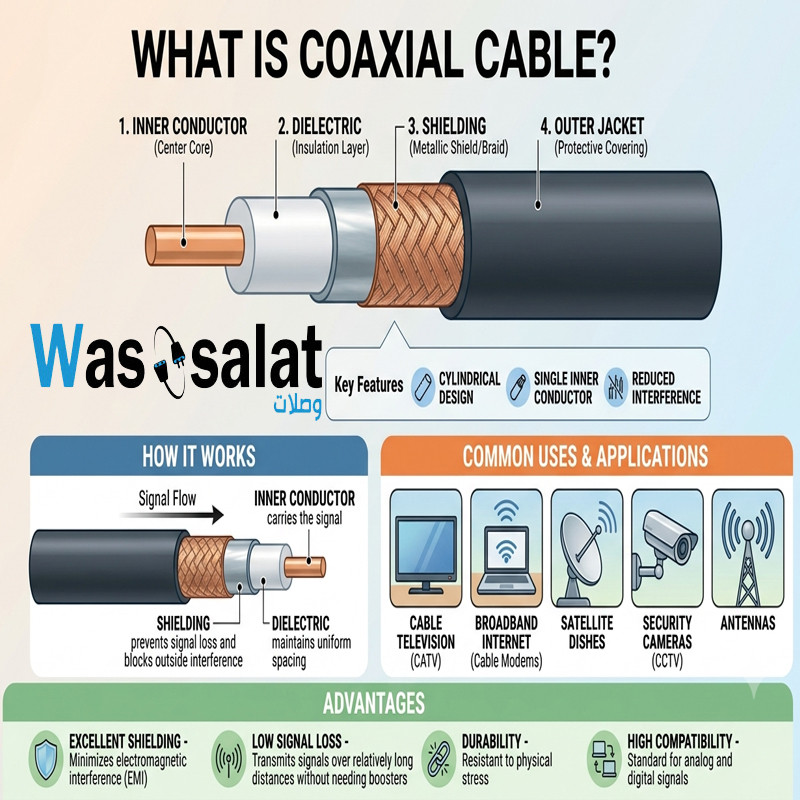 What Is a Coaxial Cable? The Complete Beginner's Guide
Learn what coaxial cables are, how they work, their construction, types, and applications. The beginner's guide to...Read more
What Is a Coaxial Cable? The Complete Beginner's Guide
Learn what coaxial cables are, how they work, their construction, types, and applications. The beginner's guide to...Read more
Latest posts
-
 Waterproof Coaxial Cable: The Complete GuideRead more
 -
 Testing Coaxial Cable: The Complete GuideRead more
This comprehensive guide covers everything you need to know about testing coaxial cable—from simple continuity checks...
-
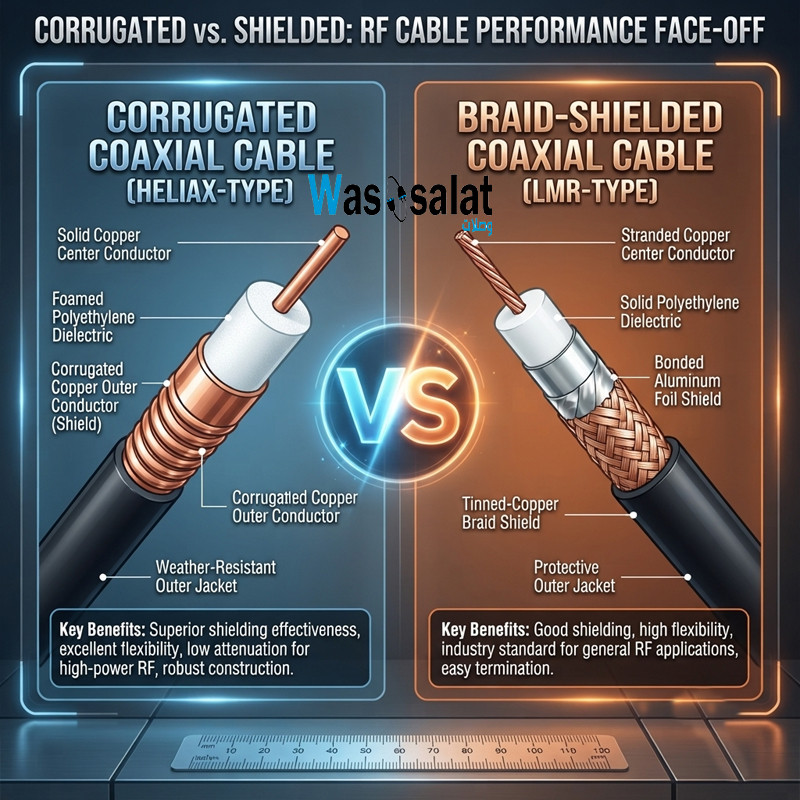 Corrugated Coaxial Cable vs Shielded Coaxial Cable: Complete ComparisonRead more
This comprehensive guide compares both technologies—explaining the differences in construction, performance,...
-
 Installing Coaxial Cable: The Complete GuideRead more
This comprehensive guide compares double shield and quad shield coaxial cables—explaining the differences in...
-
 Double Shield vs Quad Shield: Which Coaxial Cable Should You Choose?Read more
This comprehensive guide compares double shield and quad shield coaxial cables—explaining the differences in...
-
 Shielding Types in Coaxial Cables: Complete GuideRead more
This comprehensive guide explains everything you need to know about shielding types—from single shield to quad...
-
 Cable Attenuation Explained: Understanding Signal LossRead more
This comprehensive guide explains everything you need to know about cable attenuation—what it is, what causes it, how...
-
 Outdoor Coaxial Cable: Complete Guide & Selection TipsRead more
Choose the right outdoor coaxial cable for your installation. Compare TZC-500/32 vs TZC-500/97, learn about PE...
-
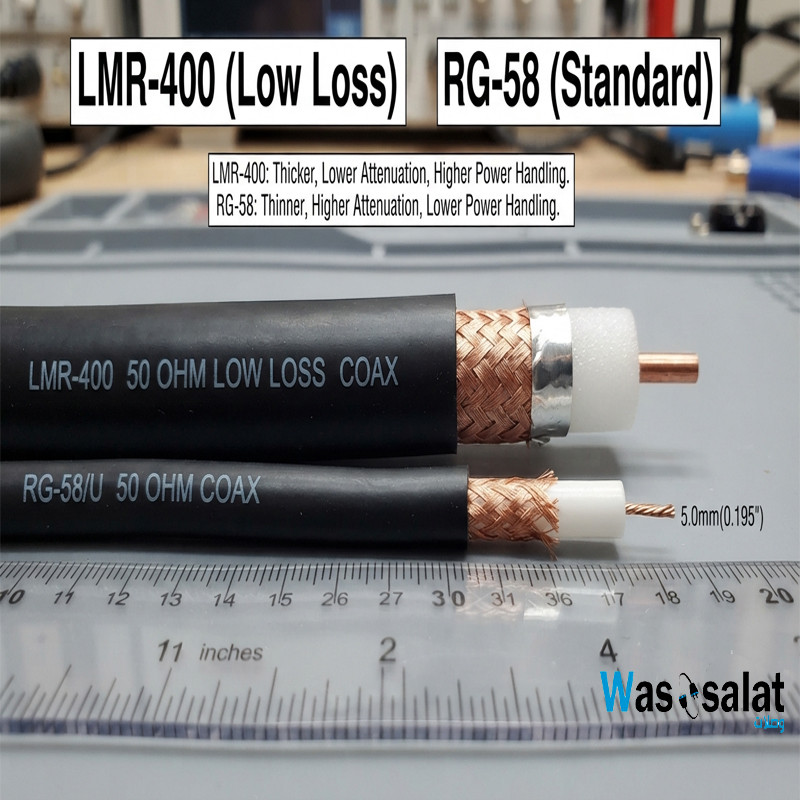 LMR-400 vs RG58: Which Coaxial Cable Should You Choose?Read more
Compare LMR-400 vs RG58 coaxial cables. Learn the differences in signal loss, construction, flexibility, and...
-
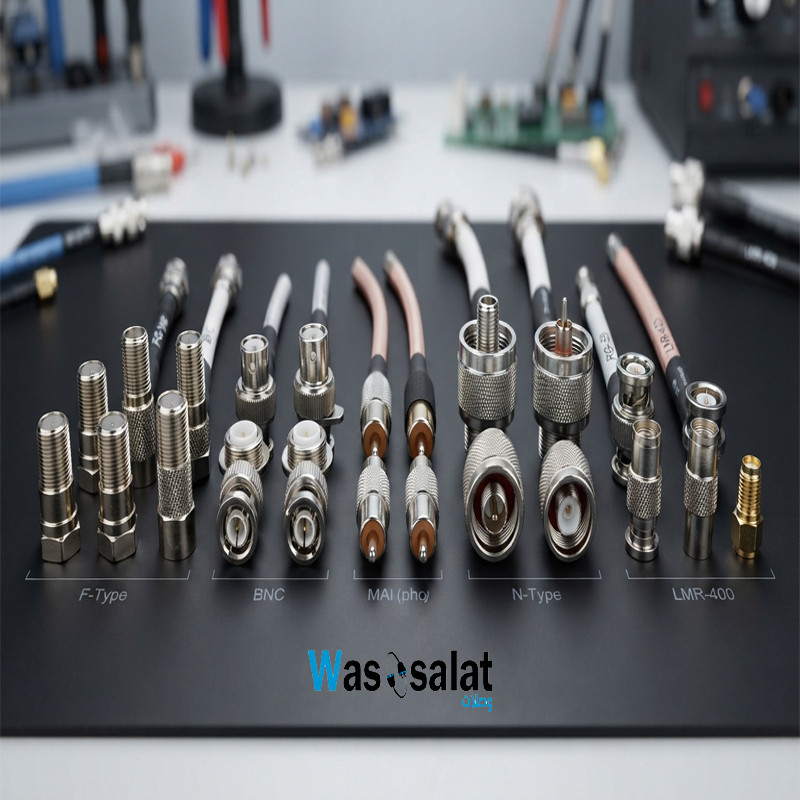 Coax Cable Connectors: Complete Guide to F-Type, BNC, N-Type, SMARead more
Learn about coaxial cable connectors—F-Type, BNC, N-Type, SMA, TNC, and UHF. Compare impedances, frequencies, and...
Leave a comment